Firefly III collects my transactions. Beancount
keeps them in a plain-text ledger I can check and put under version control, and Fava
gives that ledger a web interface. Between the two I needed a bridge, so Firefly Reports 2.0 got one: firefly-reports export beancount.
Why bother, if Firefly III already has the data? Because databases change: schema migrations, relations, interdependencies between tables. A plain text file is forever. I’d rather keep a copy of my finances in a format I can still read and diff long after any particular tool is gone.
For the rest of the release, see the 2.0 announcement.
What lands on disk
The command reads your transactions from Firefly III and writes a Beancount v3 ledger. By default the layout is yearly: one accounts.beancount plus a firefly-YYYY.beancount for each year. The yearly files carry no timestamp and don’t change until that year’s data does, so a version-controlled ledger only shows diffs where something actually changed. accounts.beancount carries the generation date, unless you pass --no-timestamp. A single layout writes everything to one file.
Each transaction keeps its payee, tags, notes, links between transactions, IBAN and, for foreign currency, the original amount. Every entry also carries its Firefly ID as metadata, so you can trace it back.
Mapping in two passes
Expense and income accounts in Beancount are derived from the Firefly category. If you organise your data by counterparty account instead, use --classify-by account.
The mapping is built in two passes, so you can review it before committing to it. The first pass only writes a draft:
firefly-reports export beancount --scaffold --map beancount_map.yaml
The draft lists every Firefly account and category with the Beancount account it would get. For categories it also shows how many splits use each one:
accounts:
  "Checking Account": "Assets:Checking-Account"  # automatic
  "Home Mortgage": "Liabilities:Home-Mortgage"  # automatic

categories:
  expense:
    "Groceries": "Expenses:Groceries"  # split: 1
    "Travel": "Expenses:Travel"  # split: 1
  income:
    "Fees": "Income:Fees"  # split: 2
Edit the right-hand sides to rename or group accounts (several categories may share one), then run the export:
firefly-reports export beancount --init --validate --out ledger --map beancount_map.yaml
Other useful flags: --dry-run shows what would be written, --validate runs bean-check on the result (install firefly-iii-reports[beancount] for that), --init creates main.beancount, an investments file and a prices file, and --no-timestamp leaves out the generation date.
What the output looks like
All the examples in this post come from a made-up data set, not from a real instance. A consulting invoice, with its tags:
2025-01-15 * "Acme Consulting LLC" "Invoice #001" #invoice #taxes-2025
  firefly_id: "2"
  Income:Fees                    -3200.00 EUR
  Assets:Checking-Account         3200.00 EUR
An income in a foreign currency, kept with its original amount and the amount actually received:
2025-03-10 * "Freelance USA Inc" "Consulting"
  firefly_id: "9"
  Income:Fees                     -200.00 USD @@ 184.20 EUR
  Assets:Checking-Account         184.20 EUR
A transfer between two of your own accounts, with no payee:
2025-03-15 * "Broker deposit"
  firefly_id: "10"
  Assets:Checking-Account        -1000.00 EUR
  Assets:Acme-Investments         1000.00 EUR
The generated files start with a GENERATED - DO NOT EDIT BY HAND comment. With --init the main.beancount includes them, and it also sets Fava’s language to match --lang.
Opening it in Fava
fava ledger/main.beancount
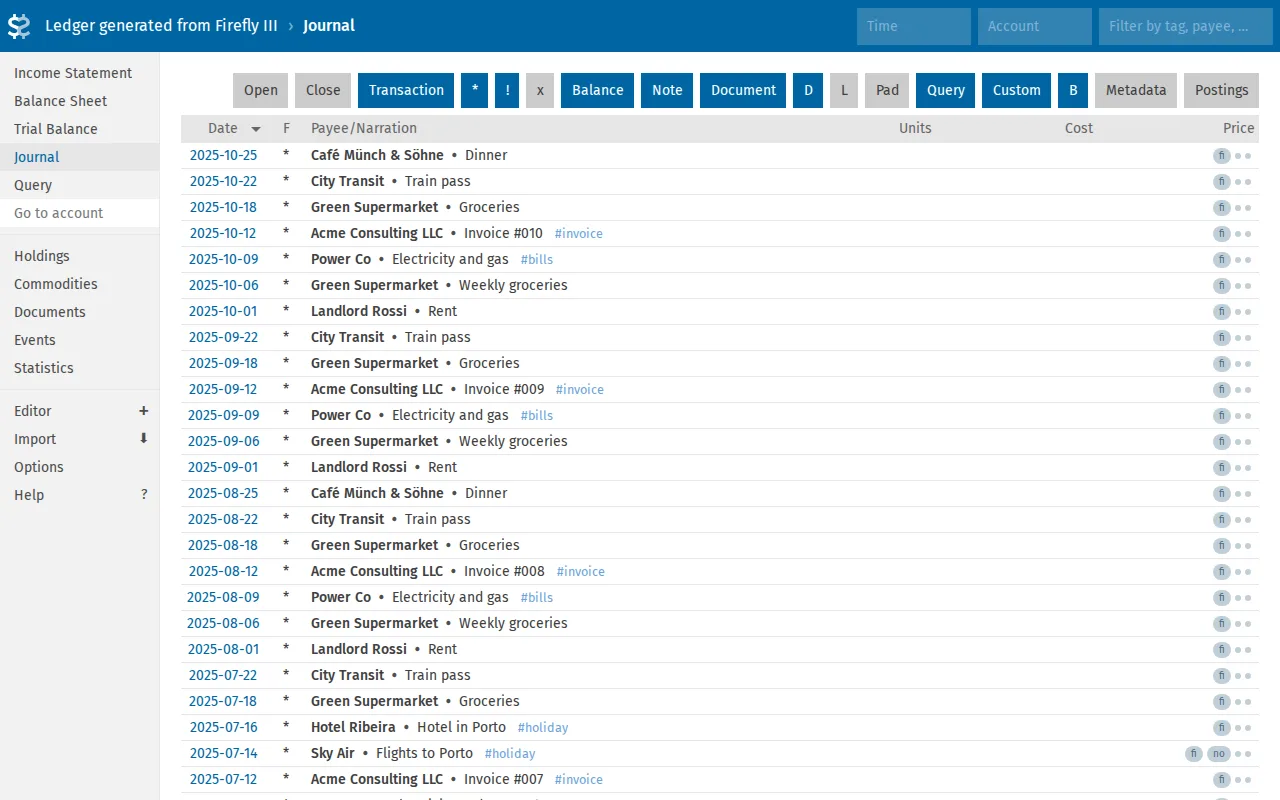
The Journal shows payees, narrations and tags as imported:
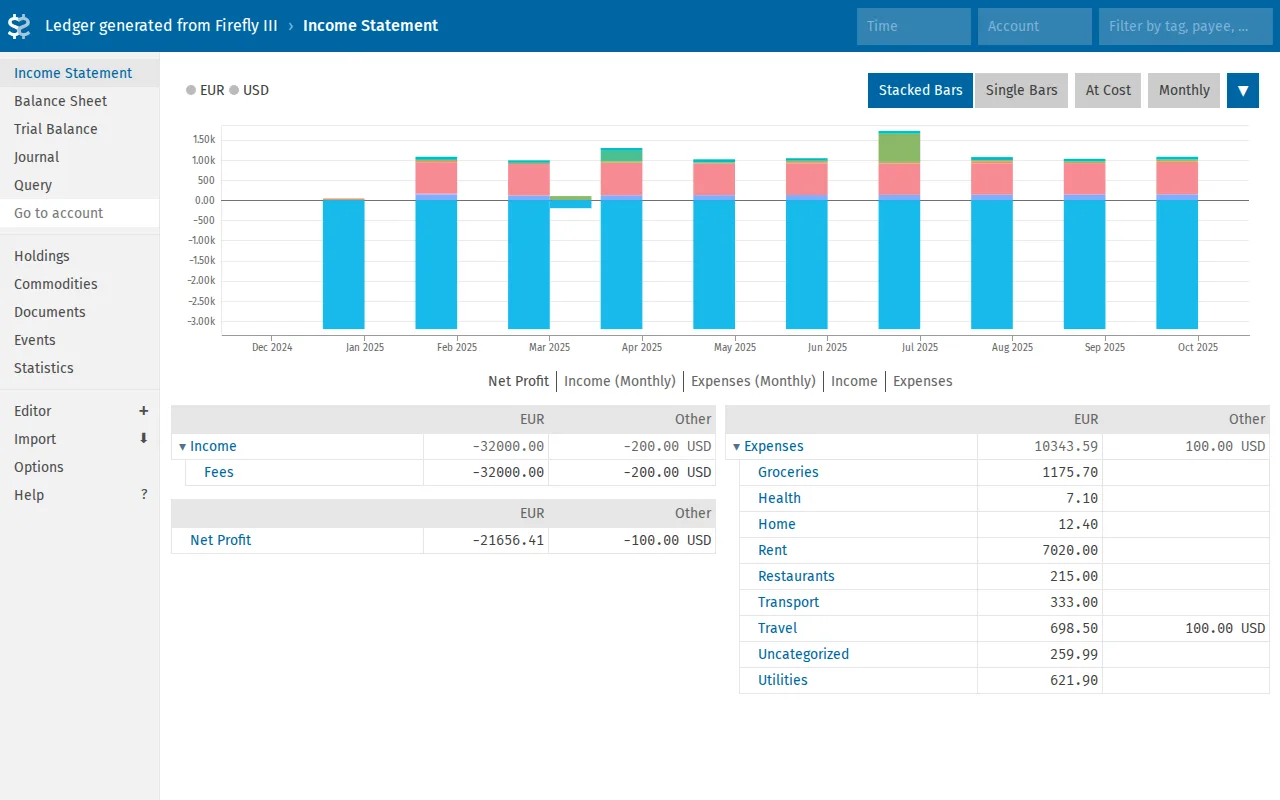
And the Income Statement, which sums up income and expenses by account and month:
What it doesn’t do
Only cash movements are exported. Securities, quantities and prices aren’t stored in Firefly III, so they can’t come from there: you keep them by hand, in the investments and prices files.
Also, generated files are replaced on every run, so don’t edit them. Put your own entries in separate files, and keep in mind that main.beancount is created only with --init and never overwritten afterwards. That’s where your own includes and options belong.
Install
pip install "firefly-iii-reports[beancount]"
firefly-reports export beancount --help
The Beancount Export page on the wiki has the full set of options, the example output and some queries to run in Fava.
Firefly III and its database will keep changing. The ledger this command writes is just text, and that’s the point: a copy of your finances you can still open, read and diff years from now, whatever happens to the tools around it.