Firefly Reports 2.0.0 is out. I haven’t touched the reports: it’s the same 26 PDF and Excel files, with the same layouts. What I rebuilt is everything around them, mostly the command line and the config rules.
Why? The code I added for 2.0 called for rethinking how the repo is organised, and I wanted it clearer.
See the first post if you’re new to the project.
One command became four
Version 1 was a single command with a long list of flags. Now there are four subcommands:
firefly-reports report   # the 26 reports, as before
firefly-reports export   # export transactions (Beancount, see below)
firefly-reports init     # interactive setup of firefly-reports.toml
firefly-reports demo     # run everything on built-in sample data
They’re easier to remember, and they leave room for new features.
Global options (--url, --token, --lang, --debug, --debug-file) work before or after the subcommand, and python -m firefly_reports works too. init still asks you the questions, but now it also writes every other supported key as a commented line, so the file documents what you can set. An unknown key in firefly-reports.toml produces a warning with a suggestion, instead of being silently ignored.
demo needs no Firefly III instance at all, so it’s the quickest way to see what you’d get:
pip install firefly-iii-reports
firefly-reports demo --out ./output --year 2025 --lang en
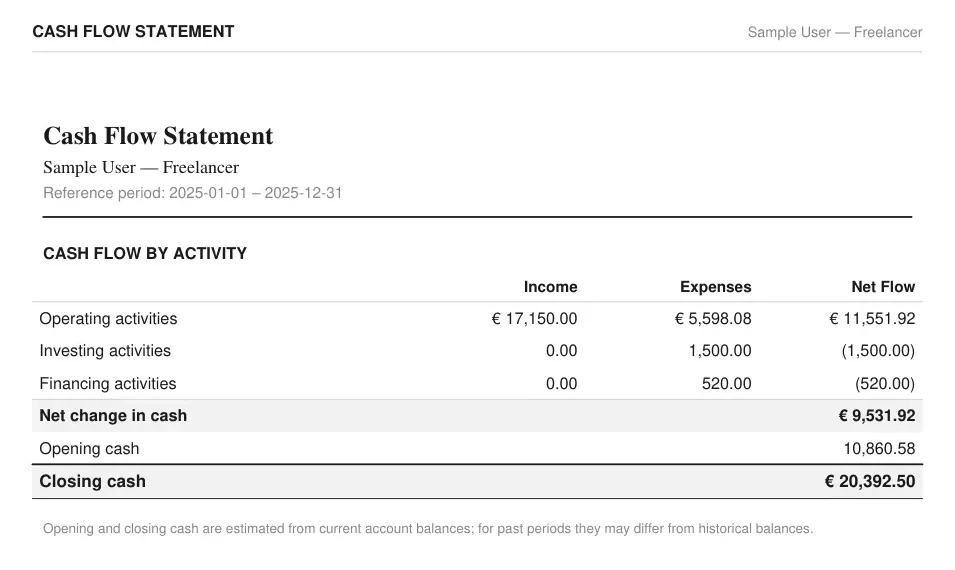
The screenshots below come straight from that command. The Cash Flow Statement:
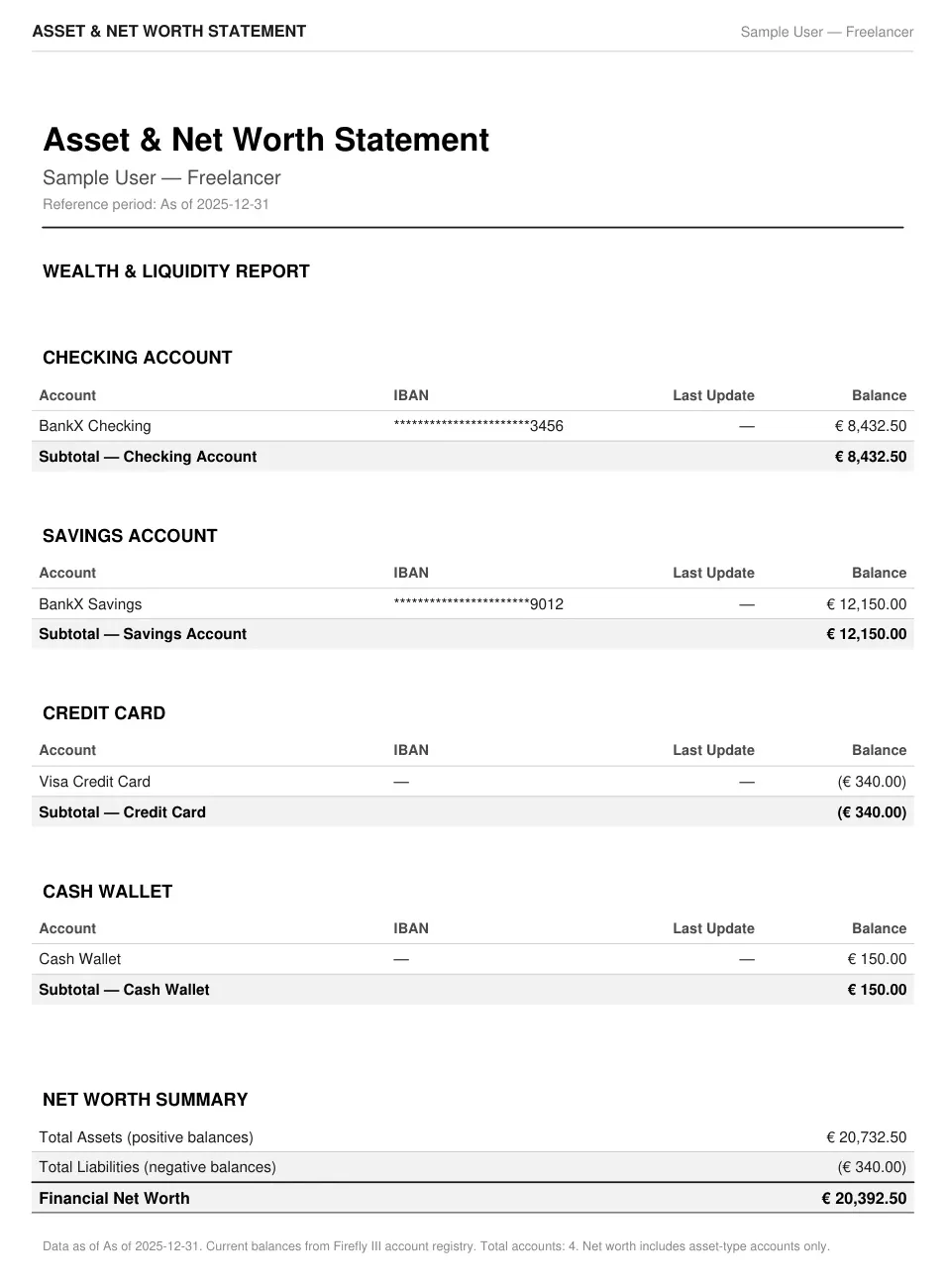
And the Asset & Net Worth Statement, with IBANs masked. It covers asset accounts only, so a mortgage held as a Firefly III liability account isn’t part of its net worth figure:
Export to Beancount
The new export beancount command writes your transactions to a Beancount v3 ledger you can open in Fava. It has its own post, with the mapping and real output. The short version: it only handles cash movements. Securities, quantities and prices aren’t in Firefly III, so those stay manual.
Also new
- Before sending your token, the tool checks the server’s certificate chain against a short list of certificates known to be compromised. It’s a narrow safeguard, not general protection: the list ships with each release, so an old install won’t know about newer problems.
- Error messages are translated too (
--lang en|it), and they no longer come with a traceback. - A
--start/--endrange now wins over ayearin the config file, instead of raising an error. - An experimental, typed Python interface in
firefly_reports.api. Names may change in a minor release.
The rest is in the changelog .
Upgrading from 1.x
pip install -U firefly-iii-reports
The old form without a subcommand still works. It prints the equivalent report command on stderr (token masked) and it’s deprecated: it will go away in 3.0.0. The same goes for python -m firefly_reports.main and python -m firefly_reports.demo. To migrate, add report:
# 1.x
firefly-reports --url https://your-firefly-instance.example.com --year 2025
# 2.0
firefly-reports report --url https://your-firefly-instance.example.com --year 2025
Three behaviours changed, and they’re the ones worth checking:
- Precedence. URL and token now follow the same order as every other setting: command line, then
firefly-reports.toml, then environment (FIREFLY_URL,FIREFLY_TOKEN,.env), then prompt. Before, the environment beat the config file. An old value in your shell used to override the file; now the file wins. - Exit codes.
0ok,1error,2usage error,3some files weren’t written,130interrupted. A run that failed to write some files used to exit0, and a bare invocation without a year used to exit1. If a script reads the exit code, check it. - Internal modules removed.
data_processor,pdf_exporter,excel_exporter,chart_engineandconfigare gone. They were never public: the stable interface is the command line.
Install and docs
Python 3.11 or newer and a Firefly III Personal Access Token are enough (not even that for demo). On Windows you can skip Python and download firefly-reports.exe from the release page
. The wiki
has been rewritten for 2.x: installation, configuration, a reference for the reports, the Beancount export, the Python interface and troubleshooting.
What’s next
Docs are next. I’m working on better ones, for people who use the tool and for people who want to contribute or build on the code, and they’ll move out of the GitHub wiki to a site of their own. Until then the wiki stays the reference, and I’ll say so here and in the README when the move happens.
The code is GPL v3, and issues and pull requests are welcome. If you find the tool useful, or you have ideas or suggestions, let me know with an issue on GitHub.